Corsair K70 Core RGB Review: A Sensible Gaming Keyboard
The Corsair K70 Core RGB is a full-size mechanical keyboard aimed at players who want dependable gaming performance without paying premium enthusiast prices. It keeps the familiar K70 shape and feature set while trimming away some of the extras found on Corsair’s more expensive models.
Its focus is straightforward: linear mechanical switches, per-key RGB lighting, a sturdy chassis, useful media controls, and a comfortable layout for everyday gaming and typing. That makes it an appealing option for PC users who want one keyboard for competitive games, work, and general home use.
After spending time with the K70 Core RGB across fast-paced games, longer writing sessions, and ordinary desktop tasks, its appeal becomes clear. It is not the most customisable keyboard in the category, but it gets the fundamentals right and represents a strong mainstream choice for Australian gamers.
Design And Build Quality
The K70 Core RGB uses a conventional full-size layout with a number pad, function row, navigation cluster, and dedicated volume roller. It occupies a fair amount of desk space, so buyers with a compact gaming setup in Sydney apartments or shared home offices should measure their available room before ordering.
The black plastic case feels solid without making the keyboard unnecessarily heavy. There is limited flex across the body, and the wide rubber feet help keep it stable during play. The adjustable rear feet provide two typing angles, while the included wrist rest adds useful support for longer sessions.
Corsair has kept the styling restrained. The keyboard has enough RGB lighting to look unmistakably like gaming hardware, yet the shape avoids the excessive angles and bright trim seen on some budget models. Its understated appearance also makes it suitable for a work desk.
The main compromise is the fixed, traditional full-size footprint. Tenkeyless and 75 per cent keyboards are increasingly popular because they leave more room for a mouse, especially at lower mouse sensitivities. The K70 Core RGB is better suited to users who regularly need a number pad or prefer a familiar desktop keyboard arrangement.
Typing Feel And MLX Red Switches
Corsair equips this model with MLX Red linear mechanical switches. They have a smooth, relatively light action with no tactile bump, making them well suited to rapid key presses in games such as Counter-Strike 2, Valorant, Fortnite, and Apex Legends.
The switches feel responsive without requiring much force. Movement keys can be tapped quickly, and repeated inputs feel consistent across the board. Players who prefer a crisp tactile bump or a louder click will find the linear character less engaging, but users who already enjoy Cherry MX Red-style switches should feel at home.
For typing, the K70 Core RGB is comfortable once you adapt to its light actuation. The lack of tactile feedback can lead to occasional accidental presses, particularly for people moving from a membrane keyboard. The sound is also sharper than a laptop keyboard, although the internal dampening helps keep it from becoming excessively harsh.
The keycaps provide a familiar, slightly textured surface and appear suited to regular use. They are not the thick, premium PBT caps found on enthusiast boards, but they are practical for a mainstream gaming product. As with any mechanical keyboard, long-term shine and wear will depend on usage, cleaning habits, and hand oils.
Gaming Performance
Gaming is where this Corsair keyboard makes the strongest case for itself. The linear switches offer quick and predictable activation, while the full-size layout gives players plenty of dedicated controls. Key rollover and anti-ghosting ensure that simultaneous inputs register reliably during frantic movement, ability combinations, and menu navigation.
The K70 Core RGB feels especially comfortable in first-person shooters and action games. Its stable chassis does not slide around easily, and the key spacing makes it simple to find movement and modifier keys without looking down. The keyboard is also responsive enough for rhythm games and fast platformers, although serious competitive players may prefer a smaller board for more mouse clearance.
The wired USB connection is a positive feature for anyone who prioritises consistency. There is no battery to charge, wireless interference to troubleshoot, or receiver to lose. That makes it a convenient choice for a permanent PC setup, whether the machine sits under a desk in Melbourne or beside a television in a Brisbane gaming room.
It does mean the K70 Core RGB is less flexible than wireless alternatives. The cable needs to reach the PC, and the keyboard is not ideal for users who frequently switch between a desktop, laptop, and console. For a fixed gaming station, however, the wired design remains simple and reliable.
RGB Lighting And Software
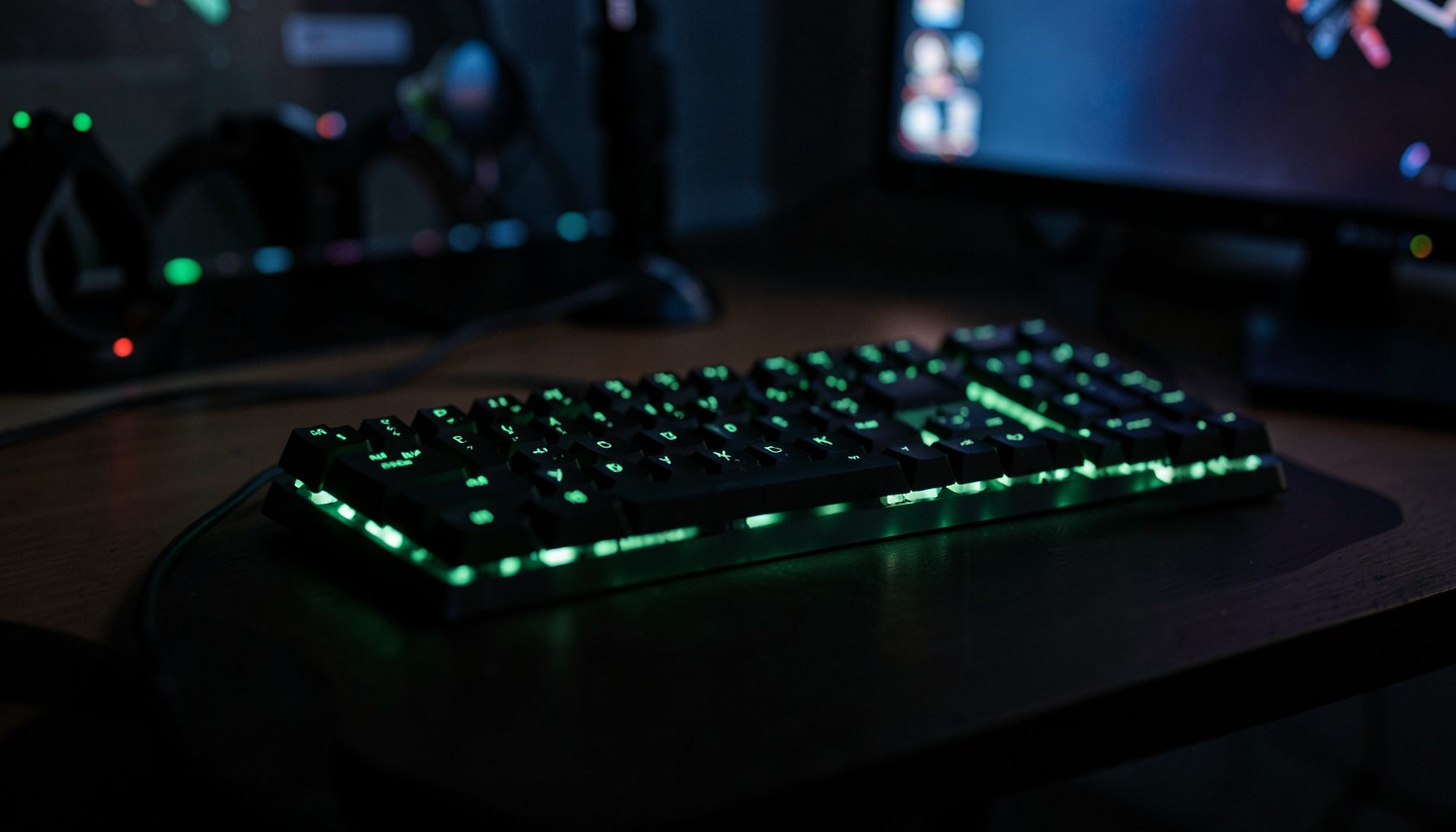
Per-key RGB lighting gives the K70 Core RGB a polished appearance. Colours are bright enough to stand out in a dim room, and the lighting can be configured with different effects, static colours, and game-oriented profiles. The translucent areas around the switches help create an even glow between the keys.
Corsair’s iCUE software provides detailed control over lighting, remapping, macros, profiles, and other keyboard settings. It is one of the more capable peripheral applications available, especially for users who already own a Corsair mouse, headset, or desktop components and want to manage them from one place.
The drawback is that iCUE is relatively large and feature-heavy for someone who simply wants to choose a colour and forget about it. It may also feel excessive if your gaming setup uses products from several brands. Once configured, the keyboard can generally retain important settings, but the software remains central to getting the most from the device.
The dedicated media controls are useful in everyday use. The volume roller is faster than reaching for Windows controls, and media buttons make it easy to pause music or adjust sound while playing. These features are small, but they are exactly the kind of convenience that makes a full-size keyboard pleasant for general desktop use.
Comfort, Noise And Everyday Use
The included wrist rest improves comfort, particularly during long sessions of strategy games, RPGs, or office work. It attaches magnetically and can be removed when more desk space is needed. The surface is functional rather than luxurious, but it provides a useful transition from the desk to the keyboard.
Noise levels are moderate for a mechanical keyboard. The MLX Red switches do not produce the loud click of a clicky design, but bottoming out still creates a noticeable mechanical sound. In a shared home or apartment, the K70 Core RGB should be less disruptive than a clicky board, though it will not be silent.
The keyboard is a good fit for mixed use. Its layout works for spreadsheets, schoolwork, browsing, and gaming, while the media controls reduce the need to reach for a mouse. The standard arrangement also avoids the learning curve associated with unusual compact layouts.
Australian buyers should check the exact regional model before purchasing. Stock can vary between major retailers such as JB Hi-Fi, Amazon Australia, Scorptec, and Umart, and listings may differ in layout, warranty terms, or included accessories. A cheap imported unit may not offer the same local support as an Australian-distributed model.
Software Features And Limitations
The K70 Core RGB supports extensive customisation through iCUE. Users can assign alternate functions, create macros, build profiles for individual games, and synchronise lighting with other Corsair products. This is particularly useful for players who want a dedicated setup for an MMO, simulation game, or productivity application.
The keyboard also includes practical onboard controls, so basic volume adjustment and media playback do not depend on software. That matters when moving the board between systems or using it on a freshly installed PC. The core typing and gaming experience remains functional even without spending time inside iCUE.
There are limits compared with enthusiast mechanical keyboards. The K70 Core RGB is not designed as a highly modular customisation platform, and buyers should not expect the same switch-swapping freedom, elaborate keycap compatibility, or deep acoustic tuning available from specialist brands. Its appeal comes from being ready to use straight from the box.
The lack of wireless connectivity will also narrow its audience. Corsair offers more expensive keyboards with wireless modes, while competing products from Logitech, Razer, and Keychron may provide cable-free operation at similar prices during sales. The K70 Core RGB makes the most sense when a dependable wired connection matters more than flexibility.
Value And Competition
Pricing is the deciding factor. At full recommended pricing, the K70 Core RGB competes with keyboards that may offer wireless connectivity, hot-swappable switches, or a smaller layout. During Australian sales periods, however, it becomes much easier to recommend, particularly when discounted below the cost of higher-end gaming boards.
Its closest strengths are reliability, brand support, a polished typing experience, and a useful set of physical controls. It avoids the bargain-bin compromises found on many entry-level mechanical keyboards, while remaining less expensive than premium Corsair models with additional connectivity and materials.
The best alternative depends on your priorities. A Logitech G-series keyboard may suit users who want wireless convenience. A Razer model may appeal to players who prefer its software ecosystem or optical switches. Keychron’s range is often stronger for customisation and typing feel, although its gaming software and full-size availability vary between models.
For a mainstream PC gamer, the Corsair offering occupies a sensible middle ground. It feels more substantial than an inexpensive office mechanical keyboard and less specialised than a boutique enthusiast board. That balance is why it earns a place as a general recommendation rather than a niche pick.
| Keyboard | Best For | Main Strength | Main Limitation |
|---|---|---|---|
| Corsair K70 Core RGB | Mainstream PC gaming | Smooth switches, RGB, media controls and sturdy full-size design | Wired only and limited enthusiast customisation |
| Logitech G413 or similar | Budget-conscious gaming | Straightforward design and familiar software | Fewer controls and less feature-rich lighting |
| Razer BlackWidow V3/V4 | Competitive gaming and ecosystem users | Responsive switches and strong software integration | Pricing varies significantly by version |
| Keychron V-series | Gaming and mechanical keyboard enthusiasts | Better customisation and typing-focused design | Software and availability can be less consistent |
| Logitech G915 | Wireless desktop setups | Low-profile wireless connectivity | Usually much more expensive in Australia |
Final Verdict And Buying Advice
The Corsair K70 Core RGB is a well-balanced mechanical gaming keyboard for buyers who want performance without entering the premium price bracket. Its MLX Red switches are smooth and fast, the full-size layout is practical, and the media controls add genuine everyday value.
It is less compelling for users who demand wireless connectivity, a compact form factor, or hot-swappable switches. Those features are increasingly common, and competing keyboards may deliver them for similar money when local promotions are running.
For Australian shoppers, the sensible approach is to compare the price across local retailers and confirm the regional layout and warranty before purchasing. A strong sale price changes the value equation considerably, especially when the alternatives cost more for features you may never use.
Reasons To Choose This Keyboard
- You want a full-size mechanical keyboard for gaming, work, and general desktop use
- You prefer smooth linear switches without a loud click
- You value a wired connection with no battery or wireless receiver
- You want dedicated volume and media controls
- You already use Corsair hardware and can benefit from iCUE integration
- You find it at a competitive Australian sale price
- You prefer a familiar layout over a compact or enthusiast design
The Corsair K70 Core RGB is an easy recommendation for mainstream PC gamers who want a dependable upgrade from a membrane keyboard. Check current Australian pricing, verify the layout, and choose the local model that includes the warranty support you expect.